
Self-Serve DSP And Global Ad Network.
Dominate your market and buy targeted website traffic with FroggyAds — the self-serve demand-side platform (DSP) and global ad network trusted by over 15,000 advertisers worldwide. Create My Free Account Explore the DSP Unlock massive global reach through 750+ SSP integrations and instantly launch high-converting push, native, display, interstitial, and pop campaigns from one unified dashboard. Built specifically for performance-driven affiliates, media buyers, and marketing agencies, FroggyAds puts complete, real-time control of audience targeting, bidding, and budgets directly in your hands. Maximize your campaign ROI with clicks starting at just $0.0001, automated SmartCPC bid optimization, and real-time Adscore fraud protection. Get started today in minutes with a low minimum deposit — completely risk-free with our 7-day money-back guarantee.
By FroggyAds.


How can you connect FroggyAds traffic to your own conversion data?
Connect each campaign to the outcome you care about before you buy traffic. Our tracking and server-to-server postback workflows can pass campaign activity to your measurement setup when configured correctly. Verify that click and source identifiers reach the destination and return with the recorded action. A missing signal can make a valuable source appear unproductive or hide a weak one.
Tracking and measurement wordmarks are shown for integration/compatibility reference. Official brand assets can be supplied by each partner; no ad-network partners are implied.
How does FroggyAds help you buy and control global traffic?
We give you one self-serve workspace to choose a format, define the audience, set bids and budgets, and act on source-level campaign results.
Self-serve DSP command center
Create, submit and manage campaigns yourself. Keep creatives, targeting, budgets, source controls and reporting in the same buying workflow.
6 core ad formats
Push, native, display, pop, interstitial and video. Audience targeting helps you define who the campaign should reach.
Granular targeting
Choose available country, city, device, operating system, browser, carrier, category and source settings to match your offer and destination.
SmartCPC bidding
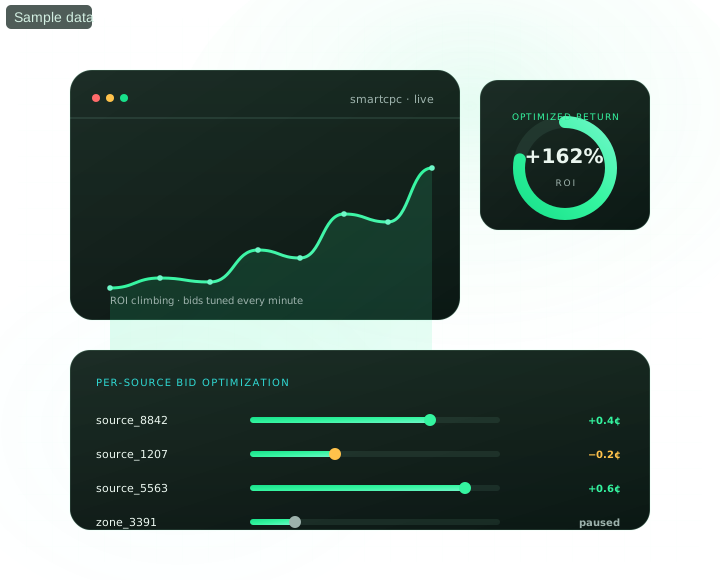
SmartCPC can adjust bids from available campaign signals, while you keep the goal, budget and commercial outcome visible.
Adscore traffic-quality controls
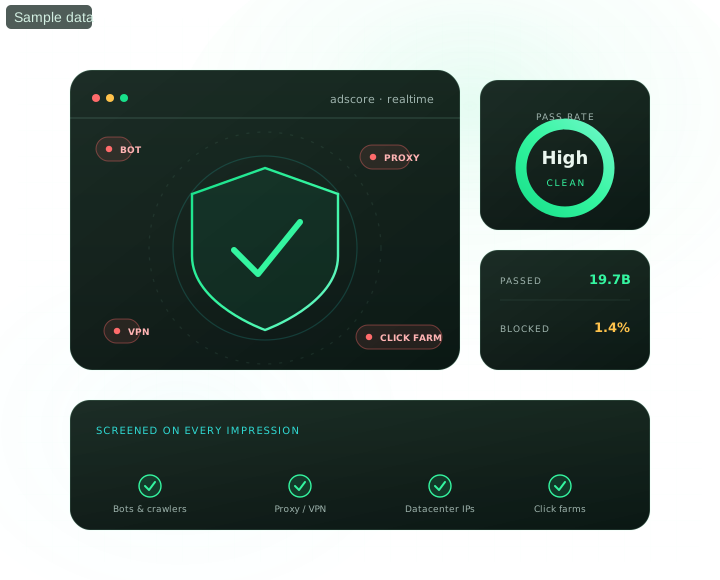
Adscore and our internal checks help screen traffic quality; source controls let you act on the results you verify.
750+ SSP supply
Access the global supply connected through our 750+ SSP integrations, then confirm the options available for your specific campaign.
Put your first traffic question into a campaign
Create your FroggyAds account, fund from the published $50 minimum and build a focused traffic test around one measurable business question.
What can you control before you spend?
See the controls you will use before deciding how much traffic to buy. Start with a workable campaign, then make the next spend decision from its results.
How does FroggyAds connect you to global advertising supply?
Our 750+ SSP integrations connect one advertiser account to global supply. Available formats, locations and volume still depend on each campaign.
Which FroggyAds ad format fits your campaign?
Match the creative to the moment a visitor encounters it. A banner, notification and full-page experience ask for attention in different ways; your destination should keep the same promise.
Push Ads
Use notification-style placements when a compact creative can state the benefit clearly and match the visitor's device.
Native Ads
Use feed-style placements when the headline, image and landing-page promise can work together without a disruptive transition.
Display Ads
Use banner placements across desktop and mobile web when the campaign needs a visual message and a clear landing-page response.
Pop Ads
Use full-page traffic when you can test landing-page fit, frequency and source quality within a written spending limit.
Video Ads
Use in-stream or outstream video when motion, product demonstration or a stronger visual story supports the offer.
Audience Targeting
Refine delivery with available intent, interest and behavior settings when they support a defined campaign hypothesis.
Who should use FroggyAds for paid traffic?
The right starting campaign depends on what you sell and what you can verify. Choose the situation closest to yours, then use our targeting and source controls to keep that first purchase relevant.
Affiliate marketers
Start with the offer's permitted countries, devices and promotion methods. Use our campaign settings to stay within that brief, then compare sources with the conversions your affiliate programme actually accepts. A recorded event and an approved payout can differ.
Agencies
Give each client test a clear destination, budget and reporting question. Separate campaigns help you explain what changed without mixing unrelated offers. Our self-serve workflow suits teams that want to make buying adjustments directly while keeping client decisions understandable.
E-commerce
Send shoppers to a product or collection that matches the ad and is ready to sell. Check stock, shipping coverage and the mobile checkout before widening targeting. Use our source reporting to distinguish visits that browse from orders your business can fulfil.
App advertisers
An app campaign needs a destination that works for the visitor's device. Use operating-system targeting to match the store journey, and check your own measurement from click through install or the later action you value. Diagnose broken routing before judging a traffic source.
Lead generation
Agree what qualifies a lead before paying to acquire it. Our GEO and device controls help shape the incoming traffic; your sales process determines whether a submission meets the brief. Compare sources after duplicates and unsuitable enquiries have been identified.
Finance & crypto
Confirm that your offer, creative and destination are permitted for the proposed audience before launch. Restrict the campaign to that scope, and examine source performance against completed eligible actions. Traffic-quality filtering does not replace your responsibility for compliant promotion.
Travel
A travel ad should lead to an available itinerary or bookable stay. Align geography and device choices with the booking journey, and account for cancellations when assessing results. Our source controls help you revisit the placements behind usable bookings.
Dating & social
Decide whether a useful registration requires confirmation or another qualifying action. Keep the ad's promise consistent with that onboarding experience. Compare source cohorts once that action has had time to occur, rather than treating every sign-up as equally valuable.
iGaming & sweeps
Establish the permitted market and eligible audience for your offer first. Build within those restrictions and set a test limit you can defend. Use source results to assess qualified activity; a busy campaign alone is not evidence of commercial value.
Build your first measured traffic campaign
Fund from the $50 minimum, choose a suitable format and measure the accepted business outcome from your first controlled test.
What should you know before your first FroggyAds campaign?
Before funding a test, resolve the choices that affect setup, source selection and campaign review.
Can I start small?
Yes. Open an account and fund from the $50 minimum deposit. Published account and campaign terms apply.
What formats can I test?
Choose among Push, Native, Display, Pop, Interstitial and Video. Those are our six core formats; audience targeting is a way to refine a campaign, not a seventh format.
Can I block bad sources?
Yes. Our source whitelists and blacklists let you change which identified placements you buy from. Check the measurement first, then use exclusions for a specific source decision rather than hiding an unexplained tracking problem.
Which targeting controls can I use?
You can select available geography, device, operating-system, browser, carrier, category and source settings. Choose only restrictions that have a clear purpose for your offer; adding more filters does not automatically produce a better prospect.
How does FroggyAds support traffic-quality review?
Adscore and our internal controls help screen for invalid or low-quality visits. Review your own accepted outcomes as well: a technically valid visitor can still be a poor match for the product, destination or offer.
What happens before campaign delivery?
Prepare the creative, destination and settings in your account, then submit the campaign for review. Approval comes before delivery. Completing those inputs carefully is more useful than assuming a fixed launch time before review has taken place.
How does SmartCPC support a bidding decision?
Available campaign signals can guide SmartCPC bid adjustments. Your conversion setup, accepted-outcome rule, and commercial goal still determine whether those adjustments help the campaign.
Keep the event definition consistent while a test runs. If tracking changes midway, resolve that break before interpreting a bid adjustment as an improvement or setback.
How should you combine traffic-quality and source controls?
Use Adscore-supported checks to screen traffic quality, then compare source IDs with the outcomes your business accepts.
Orders, qualified leads or other approved outcomes show commercial fit. Whitelists and blacklists let you act on that review without treating every visitor from a broad audience as identical.
Which targeting conditions should you set first?
Begin with the constraints your destination cannot ignore. A service area, supported operating system or required connection type is a stronger reason for a filter than an untested assumption about who might respond.
GEO & City
Select the country, region or city relevant to your offer. Check that your destination can serve that location before broadening coverage.
Device & OS
Use device and operating-system settings to match the destination. An app store link or mobile checkout should work for the traffic you select.
Browser
Use browser settings when compatibility matters. First reproduce a suspected form or payment issue, so a technical fault does not become an unnecessary audience exclusion.
Carrier & ISP
Choose carrier or connection restrictions when the offer requires them. Avoid narrowing delivery on that basis without a clear compatibility or eligibility reason.
Category
Select categories that make sense for the offer. Our published 300+ verticals describe platform breadth; check the options available to the campaign you are building.
Source & Zone
Review an identified source before adding it to a whitelist or blacklist. Keep the reason for the change so you can understand later shifts in delivery.
How do you launch and improve a FroggyAds campaign?
Create your account, fund the balance, configure a focused campaign, submit it for review and optimize after the relevant outcomes mature.
- 1Step 01
Create your account
Create an account and explore the self-serve DSP. Published account and campaign terms apply. - 2Step 02
Fund from $50
Add a starting balance as low as $50 and you are ready to launch. - 3Step 03
Launch & target
Match one destination to a suitable format, select its eligible audience and set the initial bid and campaign budget before submitting for review. - 4Step 04
Optimize & scale
Compare source results after the relevant outcomes arrive. Keep the offer and tracking stable while testing a buying change, including any use of SmartCPC.






What does FroggyAds include for a performance buyer?
| Capability | FroggyAds | Buyer consideration |
|---|---|---|
| Self-serve, no minimum monthly spend | Included | Self-serve access without a required monthly media commitment |
| $50 minimum deposit to launch | Included | Published FroggyAds minimum: $50 |
| 750+ SSP sources in one account | Included | 750+ SSP integrations is the approved FroggyAds supply claim |
| SmartCPC auto-optimization | Included | SmartCPC is an available FroggyAds optimization control |
| Adscore fraud & bot filtering | Included | Adscore-supported traffic-quality controls are included in the FroggyAds workflow |
| conditional 7-day refund eligibility | Included | Refund eligibility is governed by FroggyAds’ published conditional terms |
| Live chat & managed support | Included | Live support is available through FroggyAds |
Traffic options for different campaign objectives
FroggyAds serves advertisers across finance, iGaming, nutra, dating, crypto, apps and e-commerce. Confirm the available supply, policies and targeting for the campaign you plan to run.
What are FroggyAds' published entry points?
Use the published minimum deposit and format entry bids as planning thresholds. Live auction conditions and your selected targeting determine the actual campaign spend.
Questions, answered
What is FroggyAds?
In practical terms, FroggyAds is a self-serve demand-side platform connected to global advertising supply. Advertisers can create campaigns, set targeting, bids and budgets, review source-level performance and manage delivery from one account.
How much do I need to deposit to start?
The published minimum account deposit is $50. Treat that as an account-funding threshold, not a recommended test budget; actual spend depends on format, market, targeting, auction conditions and the evidence needed for the campaign decision.
Which ad formats can I run?
FroggyAds supports Push, Native, Display, Pop, Video and Interstitial campaigns. Audience targeting is an additional campaign capability rather than a separate core format.
Which targeting controls are available?
Campaigns can use controls such as country, city, device, operating system, browser, carrier, category and source. Start with the dimensions that materially affect offer fit so the first test remains interpretable.
How does FroggyAds help with traffic quality?
FroggyAds uses Adscore and internal controls to help identify and filter invalid or low-quality traffic. Advertisers should still reconcile source IDs with landing sessions, accepted conversions, refunds and other downstream quality signals.
Can I whitelist or block individual sources?
Source-level reporting and controls let advertisers compare placement performance and use whitelists or blacklists where supported. Apply those actions after tracking is verified and outcomes have had enough time to mature.
What does SmartCPC do?
SmartCPC can adjust bidding using available campaign signals. Its usefulness depends on the quality and volume of the signals it receives, so stable conversion tracking and clear campaign goals remain important.
What are the published entry bids?
Current published starting points include Push and Native from $0.003 CPC, Display from $0.10 CPM and Pop from $0.0001 CPC. These are starting bids, not guaranteed clearing prices, traffic volumes or results.
What should I measure after launch?
Use delivery and click metrics for diagnosis, then judge campaign decisions against the advertiser’s accepted business outcome. Keep campaign, creative, source and click identifiers connected to the final event whenever possible.
When should I scale a campaign?
Scale after tracking is stable and repeated mature outcomes remain inside the written cost and quality limits. Increase one major variable at a time so a later change in performance can be tied to a specific decision.
How can each performance team use FroggyAds?
The dashboard is the starting point. What makes it useful is the question your team brings to each campaign and the action you take after reviewing it.
Affiliate marketers
Use a first campaign to learn whether a permitted traffic approach can support the offer's economics. Keep the payout rules beside the campaign results, reconcile declined conversions and investigate source differences before raising spend. Our format choices and source controls make those buying decisions practical.
Agencies & teams
Agree the client decision before building the campaign: a new audience, a different creative or a traffic-source comparison. Change one of those at a time where practical. Our separate campaign setup and reporting help you explain the result without attributing every movement to the platform.
Performance buyers
Keep a short buying record: what you changed, which traffic it affected and when the result can be judged. Use our bids, targeting and source settings to implement that decision. If outcomes arrive late, wait for the relevant cohort rather than reacting to the newest click count.
What can our support team help you solve?
From account setup through campaign optimization, FroggyAds provides live-chat support and a Telegram contact for advertisers who need help with platform use, tracking, targeting or source-level campaign decisions. Connect with FroggyAds on Telegram.
Dedicated account support
Bring a specific campaign question to our support team. A destination, selected format and description of the problem make a setup conversation more useful.
Onboarding & launch help
Before launch, check the path from creative to destination to recorded event. Ask for help with the platform step that prevents you from completing that path.
Ongoing optimization tips
After launch, identify the campaign change or source pattern you want to discuss. Clear context helps turn an optimization question into a practical next action.
How should you separate account funding from campaign budget?
Fund your FroggyAds balance with an available payment method, then keep account funding separate from the campaign budget you intend to test. The published minimum deposit is $50; actual campaign spend depends on format, GEO, targeting, auction conditions and your own test limits.

Ready to build your first measurable campaign?
Create your FroggyAds account, deposit from $50, and explore our global traffic supply – backed by conditional 7-day refund eligibility. Try FroggyAds subject to the published refund terms.
How does FroggyAds work for serious media buyers?
With FroggyAds, you can arrange a traffic purchase without building a separate supply connection for each campaign. Our self-serve demand-side platform connects your advertiser account to a global ad network. We publish 20B+ daily impressions, 750+ SSP integrations and 300+ verticals as first-party platform figures. They describe our overall offering, not the audience or delivery promised to your account. The current pricing page lists a $50 minimum deposit and entry bids by format. Check the campaign's available settings and live buying conditions before committing a test budget. Geography, format, targeting and auction competition affect what you can buy. Choose the destination and customer action first; then use our bidding, targeting and source controls to assemble a purchase that fits them. You remain responsible for assessing whether the resulting business outcomes justify another campaign.
Your starting bid expresses what you are prepared to bid for the selected buying unit; it is not a forecast of final acquisition cost. Published starting points are $0.003 CPC for push and native, $0.10 CPM for display and $0.0001 CPC for pop. Live auction conditions can require different bids. Decide how much uncertainty the first test can absorb before setting its budget. Put the buying unit beside each number in your plan: a click bid, an impression-based bid and a cost per accepted customer answer different questions. SmartCPC may adjust bids from the signals available, while Adscore and our internal controls help screen traffic quality. Neither function supplies the missing margin, lead-acceptance or retention data from your business. Bring those inputs to the campaign review before deciding what you can afford to acquire.
After launch, ask what the report can explain. A source with delivery but no recorded events might have poor offer fit, a broken destination or a measurement problem. Inspect the journey before making the same exclusion for all three situations. Where source IDs are available, connect them with your own outcome review and make the smallest change that addresses the finding. If another colleague takes over, pass on the campaign settings, the event definition and the observation behind your last change. That context is more useful than a screenshot of a rising total. A delayed order or rejected lead can change the conclusion after the initial report, so keep the comparison window consistent. Dashboard figures shown on this page are illustrative sample data, not customer results.
| Stage | Advertiser preparation | FroggyAds workflow |
|---|---|---|
| 1 · Fund | Deposit from $50; decide the campaign allocation separately | Holds the account balance used for your traffic purchases |
| 2 · Build | Provide the creative, destination and intended audience | Lets you configure the format, targeting, bid and budget |
| 3 · Launch | Submit a complete campaign for review | Starts campaign delivery after approval, subject to its settings and available traffic |
| 4 · Optimize | Check source outcomes before altering the purchase | Provides source controls, SmartCPC bidding signals and Adscore-supported quality checks |
You use a DSP interface to make the buying decisions, while our connected global supply provides the inventory access. Our published 750+ SSP figure describes that network; the options for an individual campaign still need checking in the account.
Funding is one preparation step. You also need a complete campaign and approval before it can deliver. Use the review stage to resolve a rejected creative or destination instead of assuming that an account balance guarantees launch.
What does source-level campaign review look like?
Use this illustrative dashboard to understand the buying workflow: a campaign has settings and spend, while source-level results help explain where that spend went. Your account's actual results will depend on the campaign you run.
Active campaigns 4 running
| Campaign | Format | Spend | CPA | ROI | On |
|---|---|---|---|---|---|
| US · Finance Push | Push | $1,640 | $0.97 | 341% | |
| Tier-1 Native CPC | Native | $1,210 | $1.14 | 288% | |
| DE/UK Display CPM | Display | $830 | $1.62 | 176% | |
| Mobile Pop · APAC | Pop | $502 | $0.71 | 119% |
Source performance source-ID level
- Launch it yourselfBegin with a funded account, a working destination and a defined campaign. The minimum deposit is $50; choose the test allocation separately, then submit the completed campaign for approval.
- Source-level reportingRead the source breakdown before changing delivery. Check whether an apparent weak result survives the same outcome window and acceptance rules, then use the available source controls to act on that comparison.
- Bid automation based on campaign signalsSmartCPC and Adscore serve different jobs: bidding adjustment and traffic-quality screening. Use their available signals alongside your own customer-outcome data, so a buying decision reflects both delivery quality and the value of the action that followed.
What should you bring to a campaign-support conversation?
Our support team gives you a human contact when a campaign question needs discussion. Prepare the settings, destination and observed issue before you ask. We can help with platform use and buying controls; your product, customer service and final outcome assessment remain part of your own operation.
Find the right FroggyAds resource
Already know the decision you need to make? Use the topic hubs to examine a format, understand a buying control or prepare the measurement for your next campaign.
Which FroggyAds path matches the work you own?
Your role changes what you need from the platform. Find the buying path below that matches the work you own, whether that is planning the test, running it or explaining its result to a client.
Media buyers
Source-level control, formats, bids, tracking and optimization.
Media planners
Turn planned audiences, GEOs and budgets into measurable traffic tests.
Advertisers
Launch and manage campaigns directly from one account.
First-time advertisers
Start with a narrow test, simple tracking and clear stop rules.
Affiliates
Buy traffic against payout, conversion quality and break-even CPA.
Promoters
Promote websites and offers with format, targeting and source control.
Marketing agencies
Keep client campaigns, reporting and budget decisions separated.
Is FroggyAds the right paid-traffic platform for your next campaign?
Choose FroggyAds when you want direct control over a traffic purchase and are ready to evaluate what happens after the click. Bring a destination that can serve the selected visitor, an event you can verify and enough budget to answer a defined question. Those preparations make our format choices and campaign controls more useful from the start.
A good first question is small enough to answer: does this destination receive usable enquiries from the selected traffic, or does one creative attract a better-matched visitor? Avoid combining a new offer, unfamiliar market and untested measurement in the same decision. If delivery is weak, examine the buying settings. If visitors arrive but the intended action fails, inspect the destination and event path. Our reporting helps you locate the question; your review determines the response.
| What happened? | Check before reacting | A useful next move |
|---|---|---|
| The campaign receives little delivery | Is the selected format available with this combination of geography, device and bid? | Review the buying conditions; remove an unnecessary restriction before changing the offer. |
| Visits arrive but recorded events do not | Can a visitor complete the destination journey, and does the event retain the relevant campaign identifier? | Repair a broken journey or missing signal before excluding sources on the basis of zero conversions. |
| Submissions rise but accepted outcomes do not | Are duplicates, eligibility rules or delayed qualification changing the final count? | Compare sources after the same qualification window; investigate the mismatch before adding spend. |
A transparent first-test example
Hypothetical example: two sources each spend USD 80. Source A produces four accepted enquiries, costing USD 20 each. Source B produces eight submissions but only two accepted enquiries, costing USD 40 each. Ranking by submissions would reverse the useful comparison. Before reallocating spend, check whether both groups had equal time to qualify and whether the sample is sufficient for your decision. These figures illustrate a review method, not a FroggyAds result or forecast.
To put a specific buying question to the test, create your free FroggyAds account and prepare the destination, measurement and spending limit you want to use for the first campaign.
What should be ready before you create a FroggyAds account?
Start with the choice you can act on. Use our format and targeting controls to select an appropriate traffic purchase, then check the customer journey before judging the sources. Keep the first result explainable: a known offer, a functioning destination and a consistent definition of success. When those pieces are ready, FroggyAds gives you the self-serve workspace to launch the campaign and decide what deserves further investment.
What should you have ready for your first FroggyAds campaign?
What can you control in your first FroggyAds campaign?
- Campaign budget
- The spending limit you assign to a campaign; it is separate from money held in your account.
- Source ID
- The identifier used to distinguish a traffic source in reporting, so its delivery can be compared with downstream outcomes.
- Accepted outcome
- A conversion your business has checked against its own eligibility or quality rules, such as an enquiry your sales team can use.
| Campaign checkpoint | What to have ready |
|---|---|
| Account and funding | A funded balance and a separate limit for the first traffic question you want answered. Published account and campaign terms apply. |
| Destination and format | A working customer journey that keeps the promise made by the creative and accepts the devices you selected. |
| Measurement and review | A verified event, connected identifiers where supported and a date when the resulting actions can fairly be judged. |
| Next buying decision | A specific explanation for keeping, changing or stopping the test, based on both source delivery and accepted outcomes. |
Advertising compliance reference: FTC guidance on online advertising and marketing.
- Campaign setup: Test the destination on the device you intend to buy traffic from.
- Platform control: Select each restriction for a reason you can explain about the offer.
- Buying decision: Resolve missing events and delayed outcomes before deciding which source earns another test.